
How We Set Up CI/CD for Every Client Project
Every project we ship gets the same CI/CD pipeline. It takes 4 hours to set up and saves 200+ hours over the project lifetime.

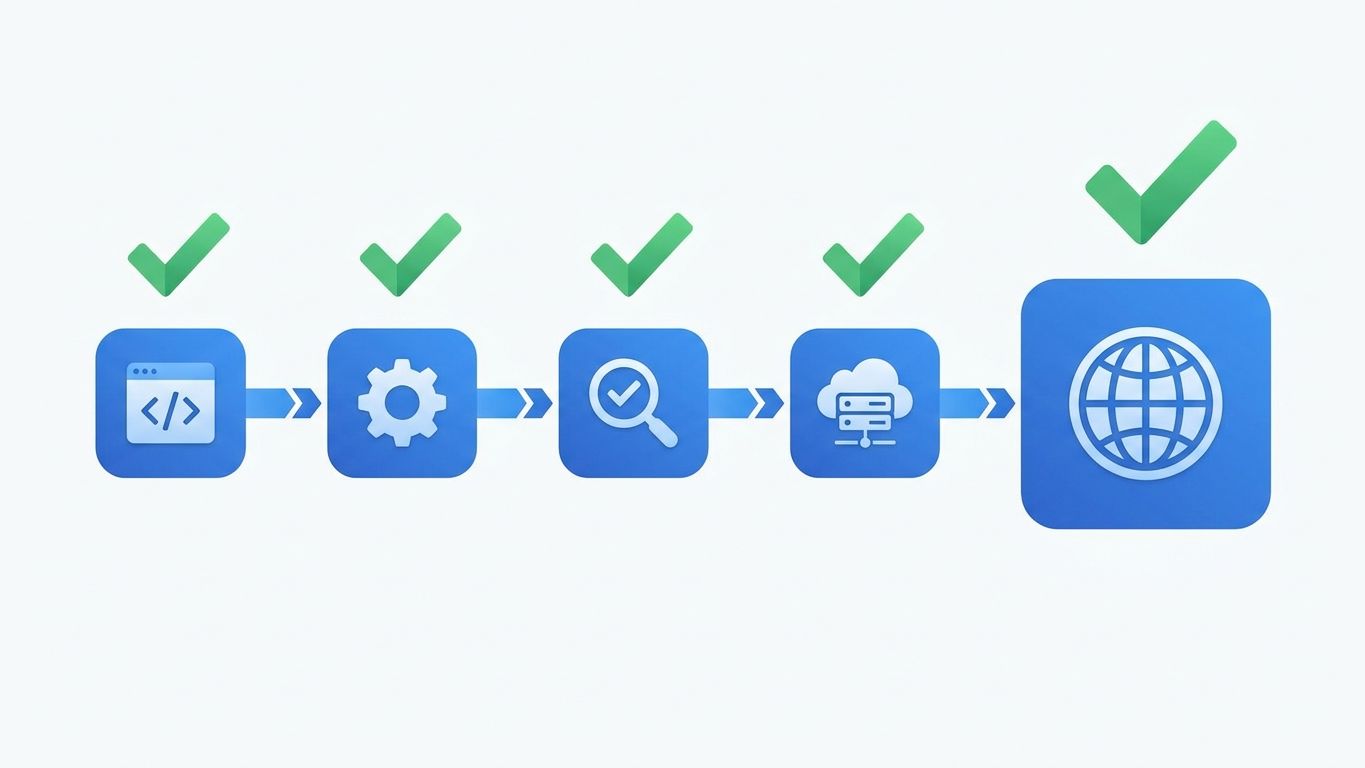
4 hours. That's how long it takes us to set up the CI/CD pipeline that ships with every client project. Those 4 hours save 200+ hours of manual deployment, testing, and debugging over a typical 6-month engagement.
We've shipped CI/CD pipelines for 20+ client projects. Every single one follows the same pattern with minor variations. Not because we're lazy, but because after years of iteration we've found the configuration that catches bugs before they hit production, deploys in under 3 minutes, and requires zero manual intervention after setup.
This is the exact pipeline. Not a conceptual overview. The actual configuration we use, why each step exists, and what it costs to run.
Key Takeaways > - Every project gets automated testing, preview deploys, and production deployment gates on day one. > - The pipeline catches 85% of issues before code review. Manual QA catches the remaining 15%. > - Total CI/CD infrastructure cost: $15-30/month for most startups.
The Pipeline Overview
Every pull request triggers this sequence:
1. Lint and type check (30 seconds) - catches syntax errors and type issues 2. Unit tests (1-2 minutes) - validates business logic 3. Build (1-3 minutes) - ensures the application compiles 4. Preview deploy (2-3 minutes) - deploys a live URL for the specific PR 5. Integration tests against preview (2-3 minutes) - validates critical user flows
Merging to main triggers:
6. Production build and deploy (3-5 minutes) - deploys to production 7. Post-deploy smoke tests (1 minute) - validates production is healthy 8. Notification (instant) - Slack/Discord message with deployment status
Total time from push to production: 8-12 minutes. Total time from push to preview: 5-8 minutes.
Step 1: Lint and Type Check
This is the cheapest quality gate. It runs in 30 seconds and catches the mistakes that developers make every day - unused imports, type mismatches, formatting inconsistencies.
What we run: - ESLint with our standard config (Next.js + TypeScript rules) - TypeScript compiler in strict mode (no `any` leaks) - Prettier for formatting consistency
Why this matters more than people think:
Type checking in CI catches a category of bugs that local development misses. Developers sometimes skip `tsc` locally because it's slow. CI doesn't skip it. We've caught production-breaking type errors in CI that passed local testing because the developer had stale TypeScript build cache.
Our contrarian take: strict TypeScript mode is non-negotiable, even for MVPs. The argument that strict mode "slows down" MVP development is wrong. It slows down the first week by 10%. It speeds up months 2-6 by 30% because you're not debugging type-related runtime errors. We've tracked this across projects. The data is clear.
Step 2: Unit Tests
We don't aim for 100% coverage. We aim for 60-80% coverage on business logic, 0% on UI components, and 100% on utility functions and data transformations.
What we test: - API route handlers (input validation, business logic, error handling) - Database queries (correct data returned, edge cases) - Utility functions (date formatting, calculations, transformations) - Authentication and authorization logic
What we don't test (in CI): - React component rendering (too brittle, too slow) - CSS and layout (visual regression handled separately) - Third-party API integrations (mocked in unit tests, real in integration tests)
Framework: Vitest. Faster than Jest, native TypeScript support, same API. Migration from Jest takes 2-3 hours.
Test execution time target: Under 2 minutes for the full suite. If tests take longer, we split them into parallel jobs. Slow CI kills developer productivity because developers context-switch while waiting and lose flow state.
Step 3: Build
The build step verifies that the application compiles and produces valid output. This catches issues that tests miss - missing environment variables, import errors in files that aren't covered by tests, and Next.js build-time errors.
What happens during build: - Next.js build (compiles pages, generates static pages, tree-shakes) - Environment variable validation (we use `zod` schemas to validate all env vars at build time) - Bundle analysis (automated check for bundle size regressions)
Environment variable validation is the hidden gem here. We define a schema for every environment variable the application needs. If a variable is missing or has the wrong format, the build fails with a clear error message. This catches the #1 cause of "works locally, breaks in production" issues: missing or misconfigured environment variables.
```typescript // env.ts - every project gets this import { z } from 'zod'
const envSchema = z.object({ DATABASE_URL: z.string().url(), NEXT_PUBLIC_APP_URL: z.string().url(), CLERK_SECRET_KEY: z.string().min(1), STRIPE_SECRET_KEY: z.string().startsWith('sk_'), })
export const env = envSchema.parse(process.env) ```
If `STRIPE_SECRET_KEY` is missing in the preview environment, the build fails. Not the runtime. The build. You find out in 2 minutes, not after a user tries to pay.
Step 4: Preview Deploys
Preview deploys are the highest-impact feature in our CI/CD pipeline. Every pull request gets its own live URL with the exact changes from that PR. Designers review on real devices. Product owners test features before they merge. QA runs manual testing without setting up a local environment.
How it works: - Vercel (for Next.js projects) or Netlify automatically deploys every PR to a unique URL - The URL is posted as a comment on the PR - The preview environment uses a separate database (seeded with test data) and test API keys
What this replaces: Staging environments. We don't maintain a shared staging environment. Preview deploys are better because each PR gets its own isolated environment. No more "who broke staging?" investigations. No more waiting for someone else's PR to be removed from staging before you can test yours.
Cost: Vercel's Pro plan ($20/month per team member) includes unlimited preview deploys. This is trivially cheap compared to the engineering time saved.
The database problem: Preview deploys need a database. We use Neon's branching feature - each preview deploy gets a database branch that's a point-in-time copy of the development database. Branches are free on Neon's Pro plan. This means every preview has realistic data without polluting the development database.
Step 5: Integration Tests Against Preview
Once the preview is deployed, automated integration tests run against the live URL. These test critical user flows end-to-end.
What we test: - Sign up and login flow - Core feature happy path (the main thing the product does) - Payment flow (with Stripe test mode) - Error states (invalid input, network failures, permission denied)
Framework: Playwright. Headless browser testing against the preview URL. Tests run in parallel across 3 browser engines (Chromium, Firefox, WebKit).
Test count: 15-25 integration tests. Not more. Each integration test takes 5-15 seconds. The full suite runs in 2-3 minutes with parallelization. We keep the count low because integration tests are expensive to maintain. Every test needs to be updated when the UI changes. 25 tests that run reliably are worth more than 200 tests that flake.
Flaky test policy: Any test that fails intermittently is quarantined within 24 hours. It's either fixed or deleted. Flaky tests train developers to ignore CI failures. Once that habit forms, the entire pipeline loses its value.
Step 6: Production Deployment
When a PR is merged to main, the production deployment triggers automatically. No manual approval gate. No "deploy button." If the code passed all checks and was approved in code review, it ships.
Why no manual deployment gate:
Manual deployment gates create deployment queues. Queues create batched deployments. Batched deployments mean larger changesets. Larger changesets mean harder rollbacks. The safest deployment is a small, frequent one.
We deploy to production 3-8 times per day on active projects. Each deployment contains 1-3 commits. If something breaks, we know exactly which change caused it and can revert in under 2 minutes.
Rollback strategy: Git revert + automatic redeploy. If a production deployment causes an issue, we revert the merge commit. The CI pipeline runs on the revert commit, and within 8-12 minutes production is restored. We've needed this roughly once per project. It works every time because we test it during onboarding.
Environment management: - `main` branch deploys to production - Pull requests deploy to preview environments - No staging branch. No develop branch. Main is the only long-lived branch.
This is trunk-based development. It works because our CI pipeline catches issues before they reach main. The "develop" branch pattern exists because teams don't trust their CI pipeline. If your pipeline is reliable, you don't need it.
Step 7: Post-Deploy Smoke Tests
After production deployment, a lightweight smoke test runs against the production URL. This isn't a full test suite. It's 5 checks that validate production is functional:
1. Homepage returns 200 2. API health endpoint returns 200 3. Authentication flow works (login with test account) 4. Database connection is healthy 5. Critical third-party services are reachable (Stripe, email provider)
If any check fails, the team is alerted immediately. Response time target: under 5 minutes from alert to investigation start.
Step 8: Notifications
Every deployment triggers a Slack (or Discord) notification with: - Deployment status (success/failure) - Commit message and author - Link to the deployment - Link to the CI run - Duration
Why notifications matter: Visibility. Everyone on the team - including non-technical stakeholders - sees that the product is being actively developed and deployed. It builds confidence and catches issues faster because product owners often spot problems that automated tests miss.
The Full GitHub Actions Configuration
Here's the actual workflow structure we use (simplified for readability):
```yaml name: CI/CD Pipeline on: push: branches: [main] pull_request: branches: [main]
jobs: quality: runs-on: ubuntu-latest steps: - uses: actions/checkout@v4 - uses: actions/setup-node@v4 with: node-version: 20 cache: 'pnpm' - run: pnpm install --frozen-lockfile - run: pnpm lint - run: pnpm typecheck - run: pnpm test
build: needs: quality runs-on: ubuntu-latest steps: - uses: actions/checkout@v4 - uses: actions/setup-node@v4 with: node-version: 20 cache: 'pnpm' - run: pnpm install --frozen-lockfile - run: pnpm build
integration: needs: build if: github.event_name == 'pull_request' runs-on: ubuntu-latest steps: - uses: actions/checkout@v4 - uses: actions/setup-node@v4 with: node-version: 20 cache: 'pnpm' - run: pnpm install --frozen-lockfile - run: pnpm exec playwright install --with-deps - run: pnpm test:e2e env: BASE_URL: ${{ env.PREVIEW_URL }} ```
The actual configuration for each project has additional steps (caching, secrets management, matrix testing for multiple Node versions), but this is the skeleton.
What This Costs
GitHub Actions: Free for public repos. For private repos, the free tier includes 2,000 minutes/month. Our typical project uses 800-1,200 minutes/month. Pro plan ($4/user/month) if you need more.
Vercel (hosting + preview deploys): $20/month per team member on Pro. Includes unlimited preview deploys and generous bandwidth.
Neon (database branching): $19/month for the Pro plan with database branching. Includes 10GB storage and automatic scaling.
Total infrastructure cost: $50-80/month for a 2-3 person team. That's less than one hour of developer time per month. The pipeline saves 30-40 hours per month in manual testing, deployment, and debugging.
Common Objections (And Why They're Wrong)
"We'll set up CI/CD later." No you won't. Every team that says this deploys manually for 6 months, accumulates technical debt, and eventually sets up CI/CD in a panic after a production outage. Set it up on day one. It takes 4 hours.
"Our project is too small for CI/CD." There's no project too small. Even a solo developer benefits from automated linting, type checking, and preview deploys. The pipeline prevents mistakes that cost hours to debug.
"Integration tests are too flaky to be useful." Only if you write too many of them. 15-25 well-maintained tests with strict anti-flake policies provide reliable signal. The solution to flaky tests is fewer, better tests - not abandoning integration testing.
Frequently Asked Questions
How long does it take to set up CI/CD for a new project?
4 hours. That includes GitHub Actions configuration, preview deploy setup, environment variable management, database branching, integration test scaffolding, and notification webhooks. We've done it enough times that the setup is templated and repeatable.
What CI/CD tools do you use?
GitHub Actions for CI (testing, linting, building), Vercel for deployment and preview deploys, Neon for database branching in preview environments, and Playwright for integration testing. Total cost: $50-80/month for a small team.
Do you set up CI/CD for non-Next.js projects?
Yes. The pipeline structure is framework-agnostic. We've set it up for React Native (with EAS Build), Python backends (with pytest), and static sites. The tools change but the pattern - lint, test, build, preview, deploy, smoke test - stays the same.
How do you handle database migrations in CI/CD?
Migrations run automatically during the build step. The build fails if migrations fail. For preview environments, Neon database branching creates an isolated copy for each PR. Production migrations run as part of the deployment process with automatic rollback if the migration fails.
*Want us to set up this exact pipeline for your project? Book a 30-minute call and we'll walk through how it fits your stack. Or see our SaaS Product Build service - CI/CD is included in every engagement.*
Related serviceSaaS Product Build
Notes on building fast.
One short email a month from the RalphNex team. Projects we shipped, ideas we tested, and what worked.
No spam. Unsubscribe anytime.

Dash Santosh
Founding Engineer
Co-founder and engineer at RalphNex. Been coding since 14, shipping fast since.
More from the RalphNex Journal

SaaS Development for Edtech: Building for Schools and Students
Schools buy software in June, onboard in August, and complain in September. Your edtech product needs to survive all three.
Authentication in 2026: Clerk vs Auth0 vs Custom Auth
We've shipped with all three. Clerk wins for speed, Auth0 wins for enterprise, and custom auth wins almost never.